
Track every set, every rep, every PR.
Brolift: a workout log for iPhone, made for lifting.
It logs your sets, reps and weight, keeps your personal records and estimated one-rep max, and reads heart rate from Apple Health. It’s free, there’s no account, and your workouts stay on your iPhone and in your own iCloud.
What is Brolift?
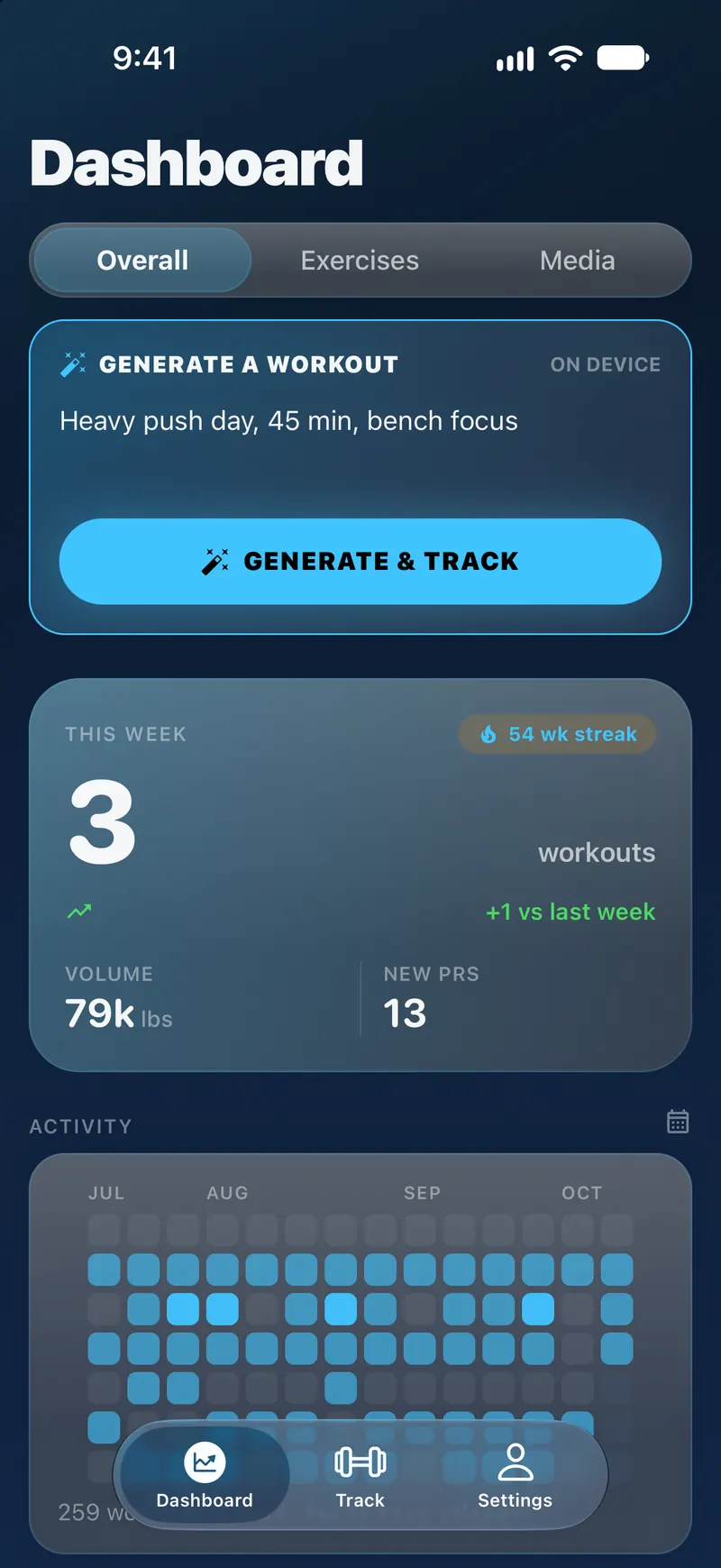
Brolift is a free workout log for iPhone, made for lifting. You log sets, reps and weight as you train, and Brolift keeps your personal records, charts your estimated one-rep max for every exercise and shows your heart rate from Apple Health. Brolift has no account. Your workouts are stored on your iPhone and sync through your own private iCloud. Brolift is made by Max, an independent developer. It first came out on the App Store in April 2020, and version 2.0 was released on October 16, 2026.
- Price
- Free. No in-app purchases, subscriptions or ads.
- Works on
- iPhone only, with iOS 26 or later.
- Account
- None. Workouts are stored on your iPhone and synced with your private iCloud.
- Apple Health
- Read only. Heart rate and energy, with your permission.
- Workout generation
- On device, with Apple Intelligence on a supported iPhone.
- Units
- Weights in pounds (lbs) only.
Features
What you can do in Brolift
Log sets at the rack, see heart rate from Apple Health, and follow your estimated 1RM and PRs over time.
Tracker
Log sets fast
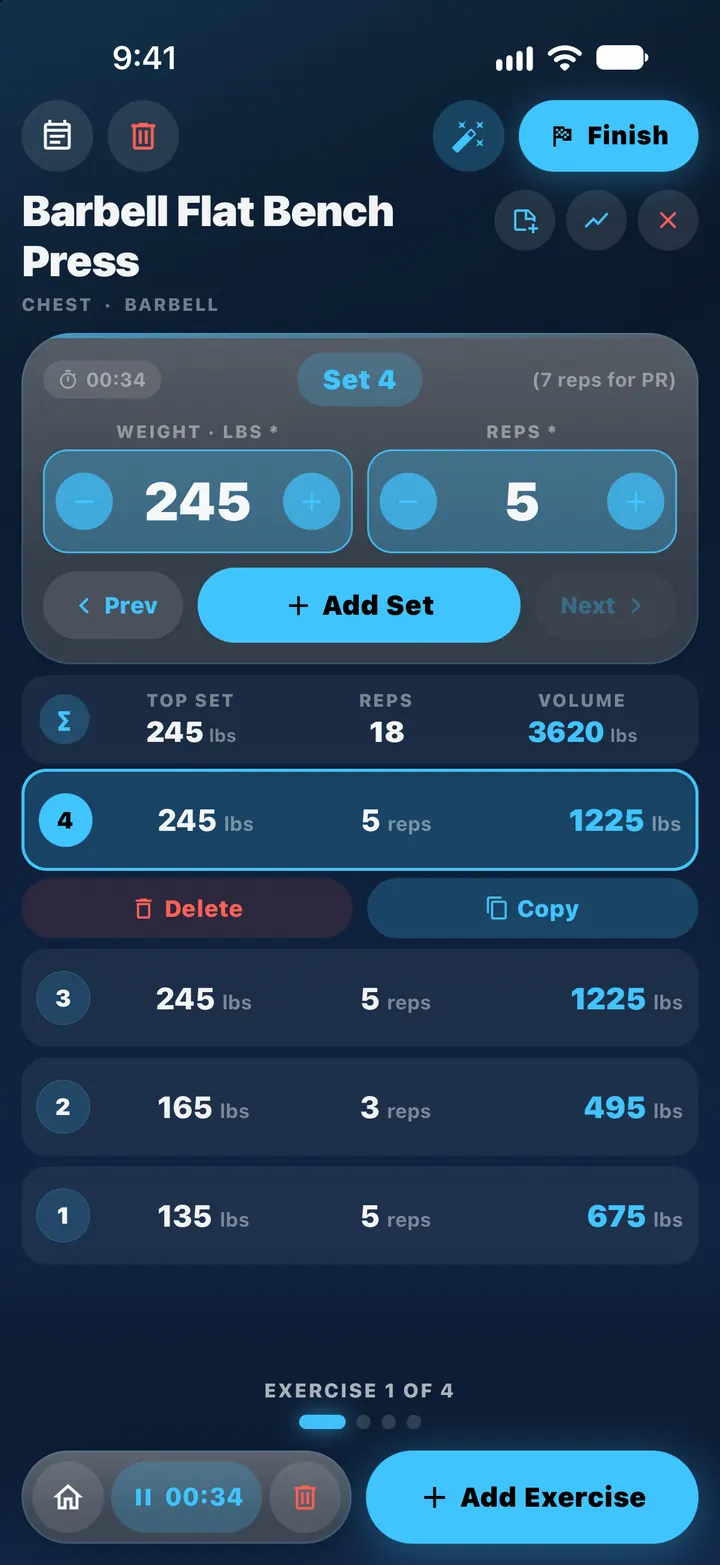
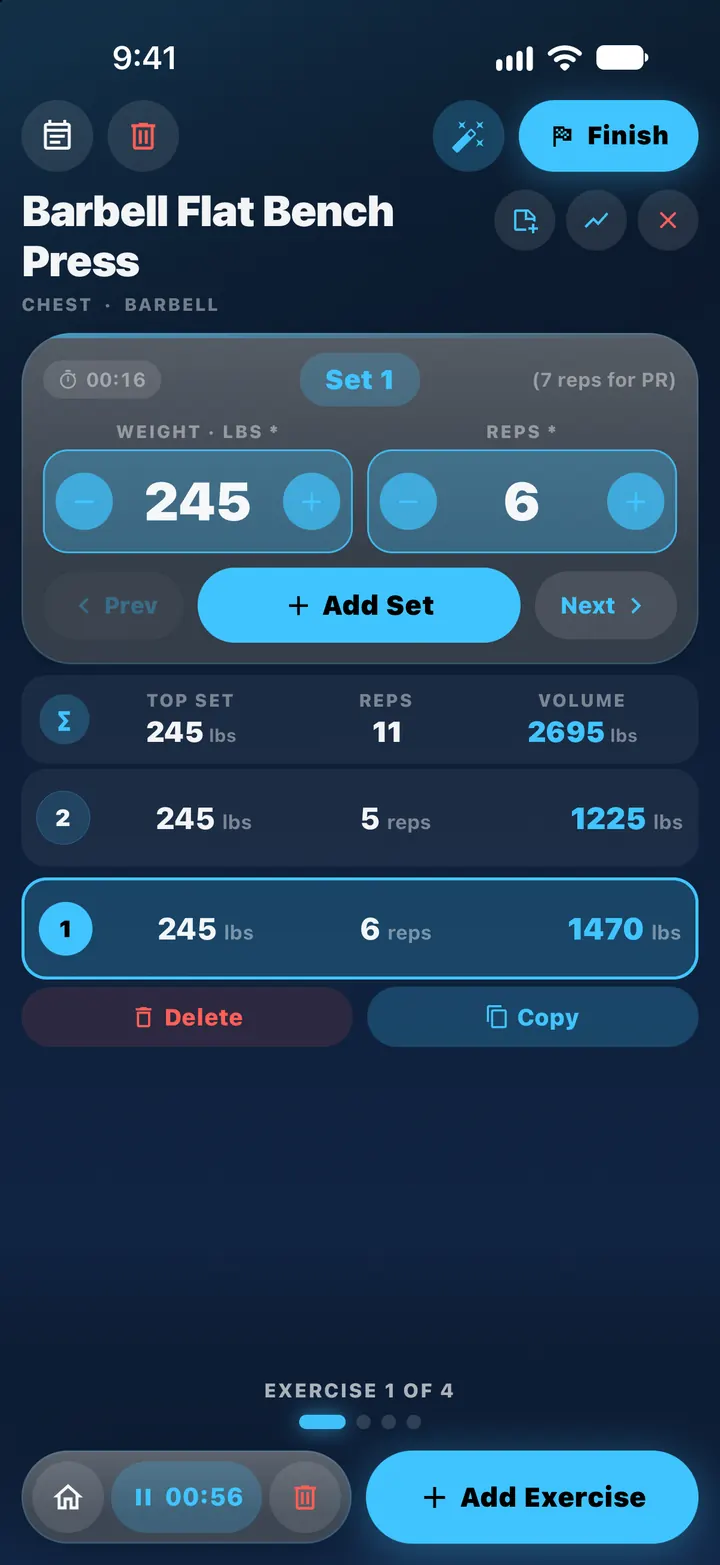
Open Brolift at the rack and log each set with weight and reps steppers. A set timer and a workout timer run while you train, and you can add, copy or delete sets without leaving the exercise card.
- Before you lift, the tracker shows how many reps you need for a new PR at that weight.
- If something is missing when you save, Brolift says what (for example “Bench Press · Set 3: missing reps”) and jumps you to it.
- A workout in progress is still there if the app is closed and opened again.
Apple Health
Heart rate from Apple Health
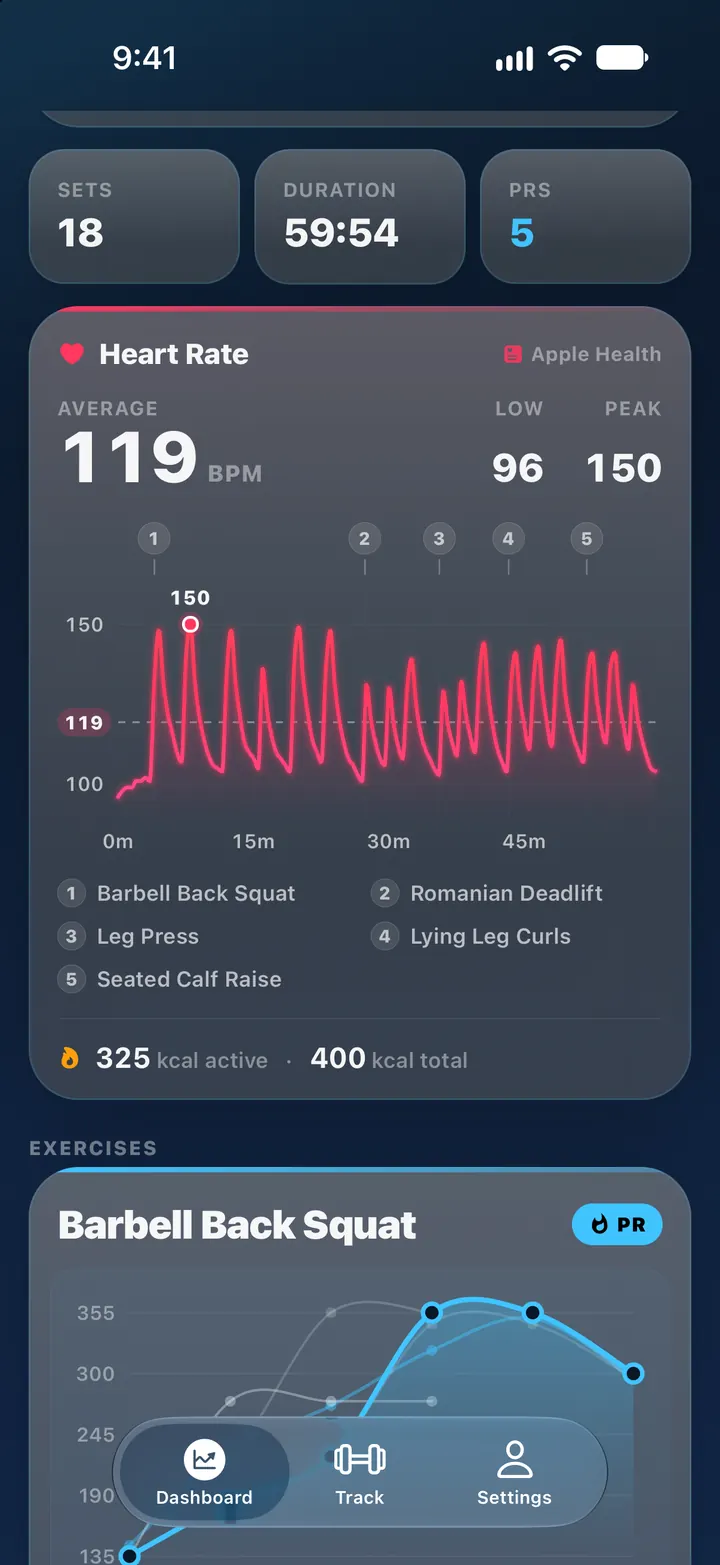
With your permission, Brolift reads heart rate and energy from Apple Health and charts your heart rate across the whole session, with a marker for every exercise. Press and drag the chart to read your BPM at any moment.
- Average, low and peak heart rate, plus active and total energy.
- A heart-rate chart on every exercise, next to its sets.
- Read only: Brolift never saves or changes your Health data.
Heart rate needs a device that records it, such as Apple Watch. There is no Brolift app for the Watch: its readings reach Brolift through Apple Health. To turn it on, go to Settings › Preferences › Apple HealthKit Sync, switch on HealthKit Features and tap Request Permissions.
Apple Intelligence
Describe a workout, then lift it
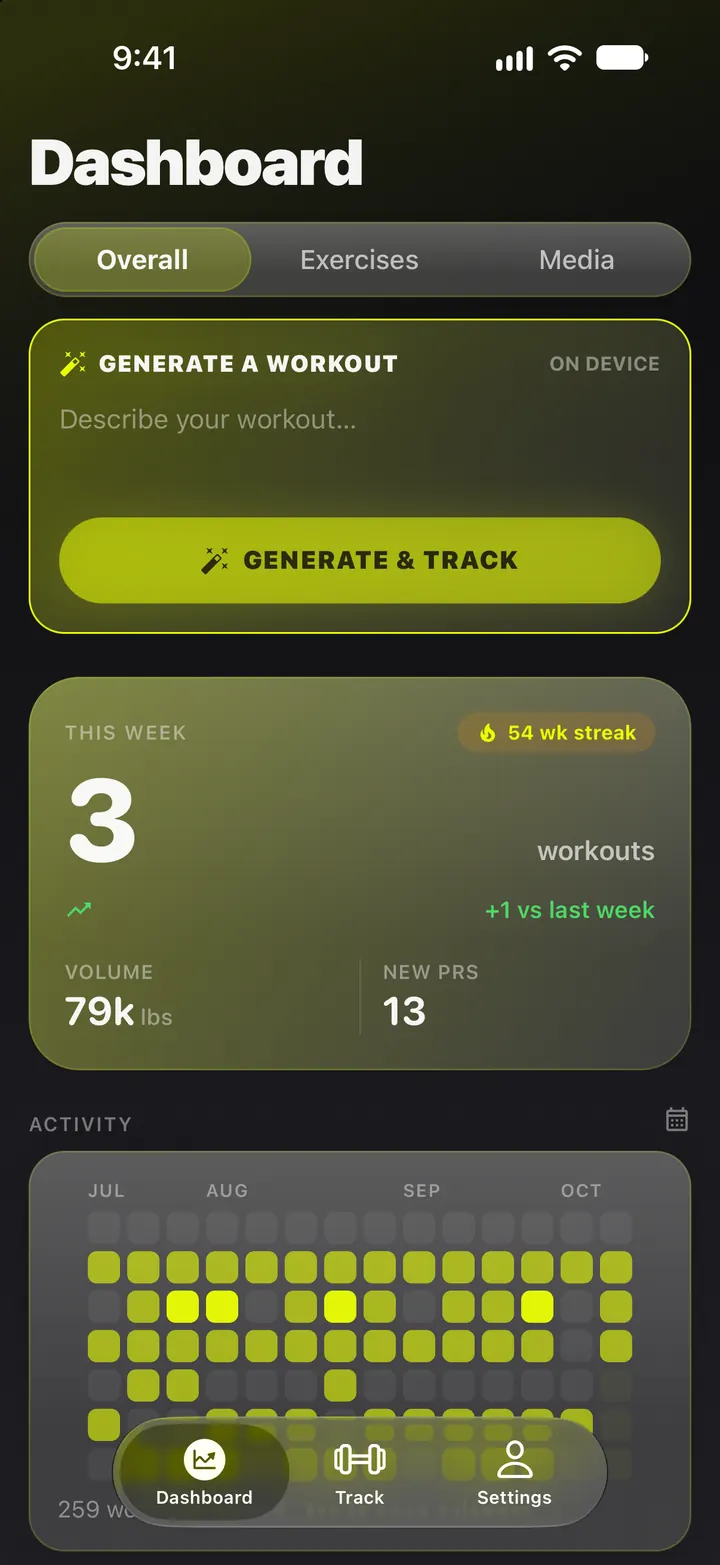
Type a sentence such as “heavy push day, 45 minutes, bench focus” and Brolift builds the workout from your exercise library and loads it into the tracker. Start it right away or schedule it for later.
- Generated on device with Apple Intelligence. Nothing you type leaves your iPhone.
- To suggest weights, the model is given your PRs for up to 12 exercises.
- Needs an iPhone that supports Apple Intelligence, with it turned on.
Progress
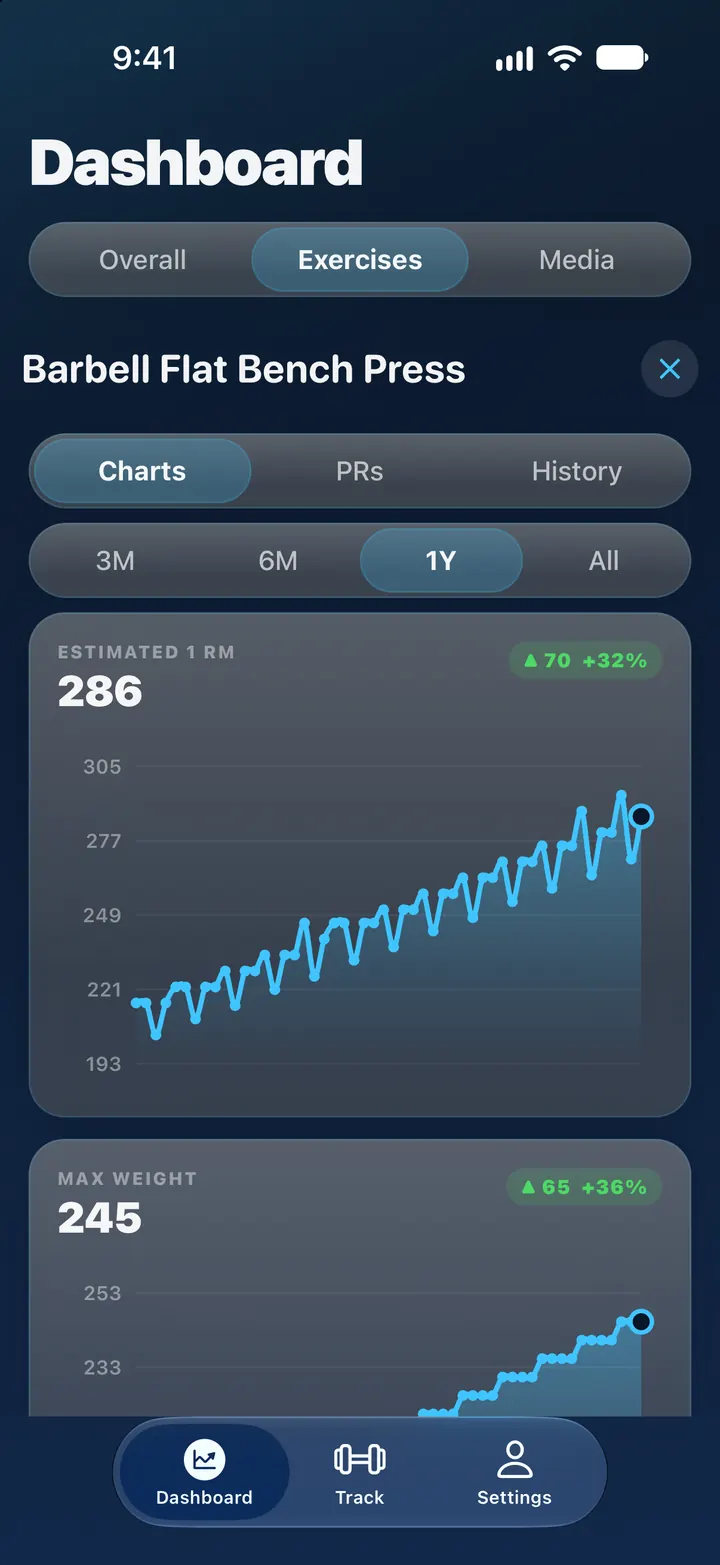
Estimated 1RM and max-weight charts
Every exercise gets an Estimated 1RM chart and a Max Weight chart, over 3 months, 6 months, a year or all time. The estimate uses the Epley formula on your best set of each workout.
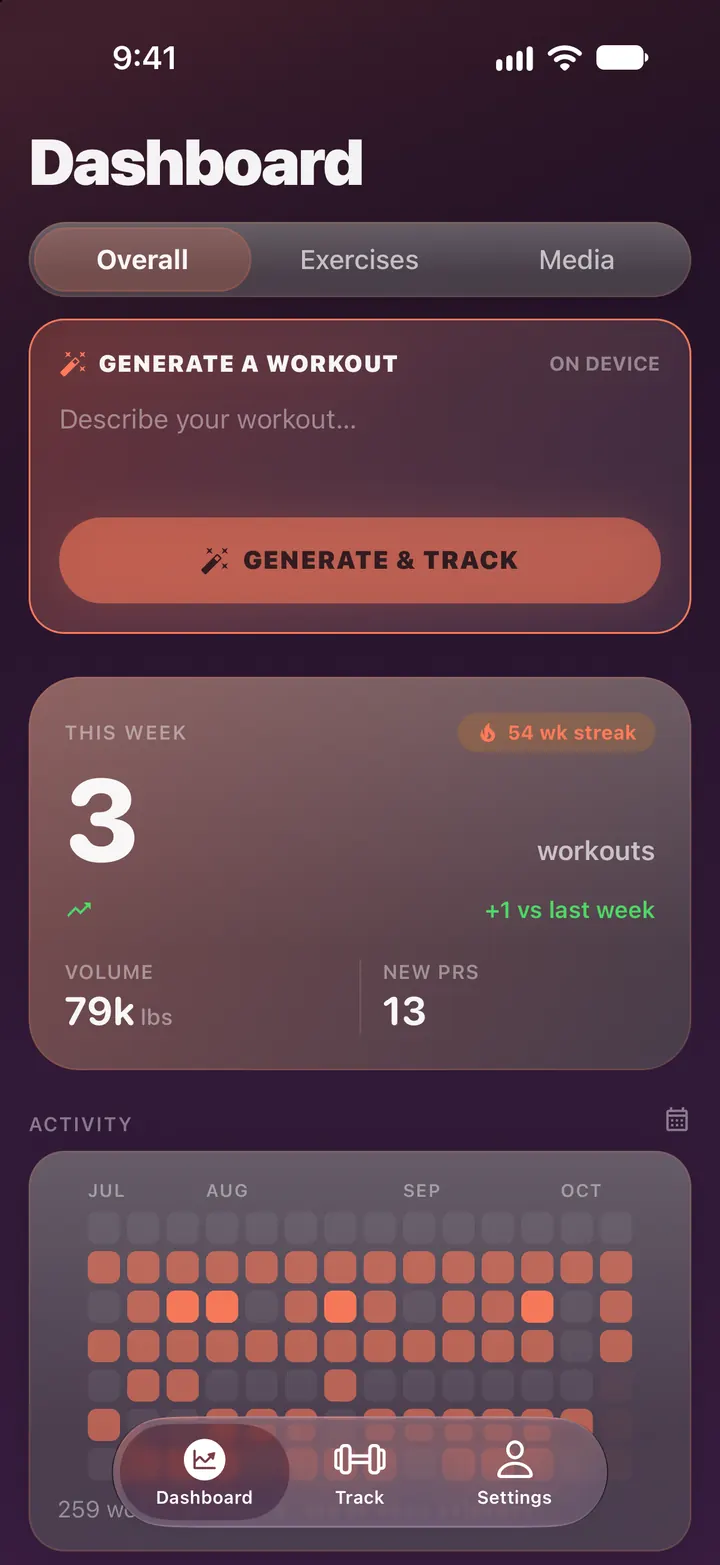
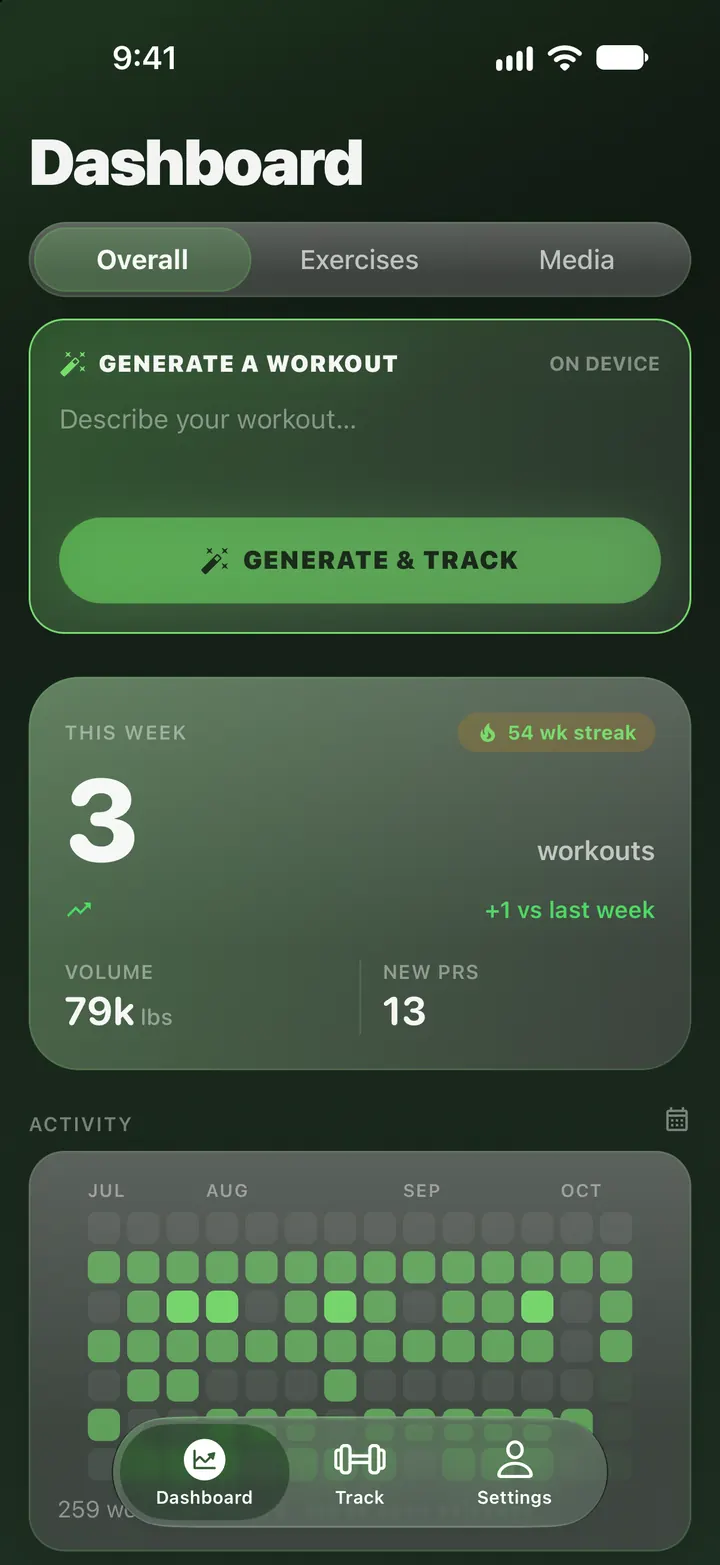
- An activity heatmap, weekly volume, muscle focus and a 12-month view on the Dashboard.
For a quick estimate from a single set, use the free one-rep max calculator on this site.
Records
Personal records by weight and by reps
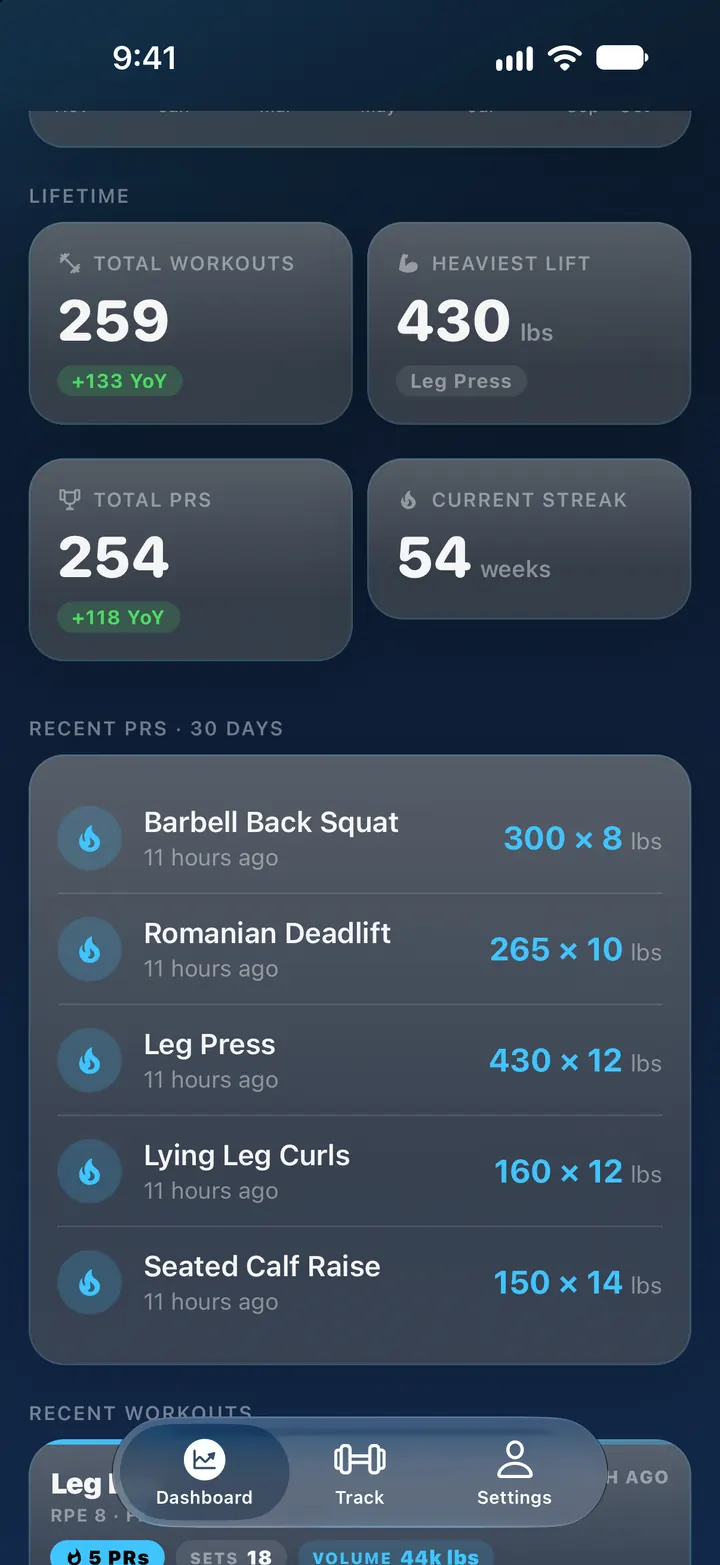
Brolift keeps personal records by weight and by reps, with the date you set each one. A record is kept for each weight you lift, so matching or beating your best reps at a familiar weight counts as a PR too.
- Recent PRs and lifetime stats you pick on the Dashboard: total workouts, heaviest lift, current streak, PRs this month and more.
- Body-weight exercises track your most reps, and timed exercises track your best time.
Also in Brolift
Planned workouts
Plan workouts ahead and start one at the gym with Do This Workout. Your plans are in Settings › Workouts › Planned Workouts.
Share a workout
Share a read-only copy from a workout’s ••• menu. Your friend opens the link in any web browser, even on Android or Windows, and signs in with the Apple Account you invited.
Notes, photos and videos
Add a note to any exercise card. When you save a workout, attach photos and videos from your photo library.
Body measurements
Track body weight in pounds, plus neck, shoulders, chest, arm, forearm, waist, leg and calf in inches. Find them in Settings › Account › Measurements.
1,081 exercises, plus yours
A built-in library of 1,081 exercises for barbell, dumbbell, cable, machine, kettlebell, bands and body weight. Add your own with a name, muscle group and equipment type.
Powerlifting mode
Turn it on in Settings › Preferences › Powerlifting (Detailed mode only). It adds an Overall Effort (RPE) slider when you save, a Rep Max Calculator, and Stats with your squat, bench and deadlift total.
Screenshots show the app with sample data.
Themes
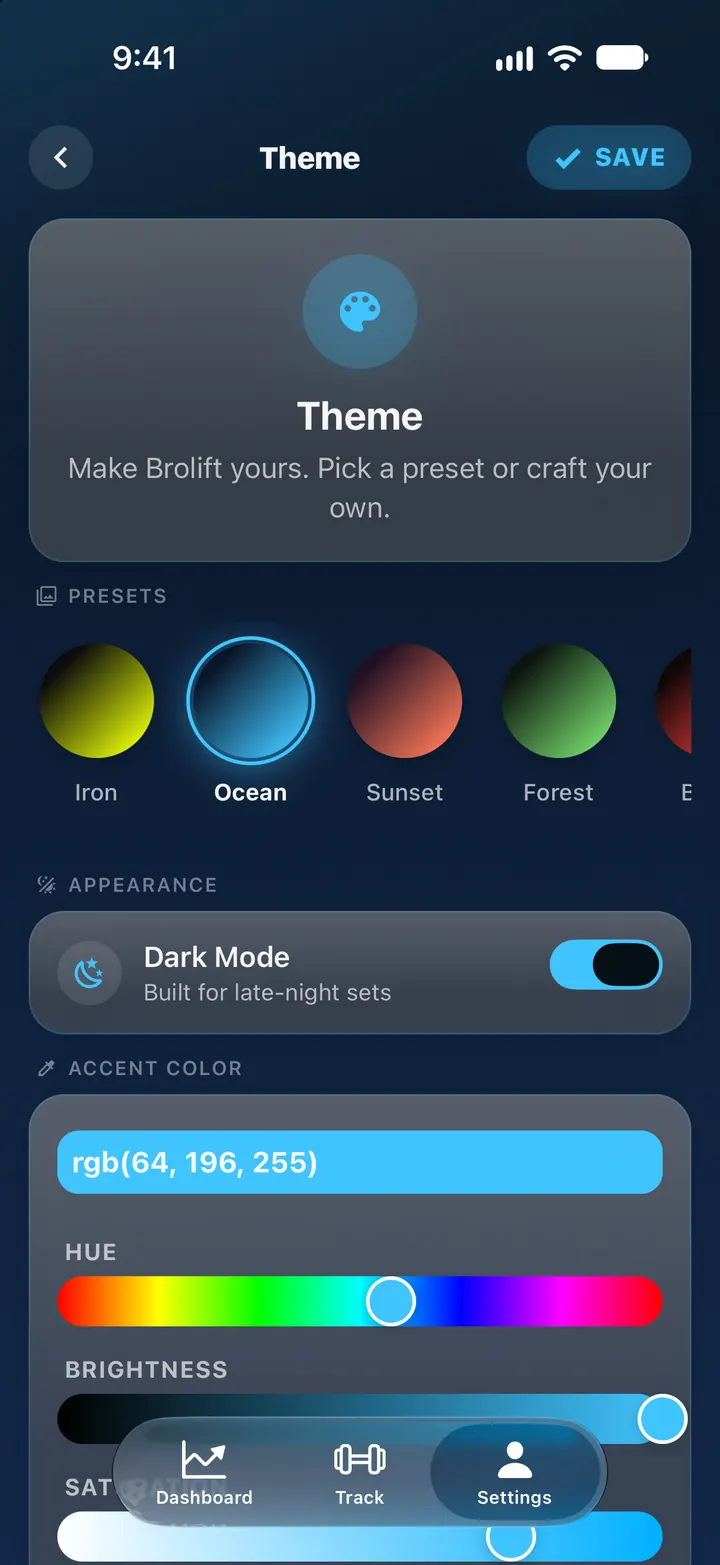
Six themes, or mix your own
Iron, the default, is yellow-green on black. Ocean, Sunset, Forest and Blood are also dark, and Mono is light. In custom mode you pick the accent and background colors yourself.
Privacy
Your workouts stay on your iPhone and in your iCloud
Brolift 2.0 has no server of its own. Your workouts are stored on your iPhone and in your private iCloud, and the developer cannot see them.
Delete everything at any time from Settings › Account › Backup & Storage. The privacy policy has the details.
- No account No sign-up, email or password to create.
- Your iPhone and your private iCloud Workouts, sets, measurements, photos and videos are stored on your iPhone and synced to your own private iCloud. Without iCloud, everything stays on the iPhone and Brolift shows a “Not backed up” notice.
- Apple Health, read only Brolift reads heart rate and energy to show them on your workouts. It never saves or changes Health data.
- AI on your iPhone Workout generation runs on device with Apple Intelligence. What you type is not sent anywhere.
- No ads, no tracking Brolift 2.0 has no ads, no analytics or tracking code, and no in-app purchases.
FAQ
Common questions
Is Brolift free?
Yes. Brolift is free on the App Store, with no in-app purchases, subscriptions or ads.
Is there an Android version?
No. Brolift 2.0 is for iPhone only and needs iOS 26 or later.
Does Brolift work with Apple Watch?
There is no Brolift app for Apple Watch. Heart rate your Watch records goes to Apple Health, and Brolift reads it from there to show it on your workouts.
Where is my data stored?
On your iPhone and in your own private iCloud. Brolift 2.0 has no account and no server of its own, and the developer cannot see your workouts. If iCloud is off, your data stays on the iPhone only.
Contact and support
Questions, bug reports and feature requests go to support@brolift.app. Many answers are already in Help & FAQ.
Free on the App Store
Brolift runs on iPhone with iOS 26 or later. There’s no account to create. Download it and log your next set.
Download on the App Store